Check before you send your invitation
Once your invitation is sent, guests can open it right away. Take a few minutes to go through this list so you don't have to send it again.
Checklist
- Open Home and make sure every required step in the checklist is done, and check Dress code too if you use it. Steps that aren't done are listed on the greeting card.
- Open the invitation with the link on the Home greeting card. Read the names, date, time, and location of each event as a guest would.
- Make sure the Home greeting card says "Your invitation is live", not "Your invitation is still a draft".
- Check Invitation access in Invitation content › Invitation settings: Public, Guests only, or Single device.
- Check the RSVP part of Invitation settings: who can fill it in, the deadline, and any extra questions.
- Open the WhatsApp message part of Invitation settings and make sure there's no "Not saved yet" message or unrecognised variable. See how it looks in the Preview tab.
- In the Envelopes & gifts menu, check the bank account number and Account Holder in Manual Envelope, or the status of Automatic Envelope (QRIS).
- Send it to one contact first, for example your own number, with Send WA from the Guest list. Open the link you receive on your phone.
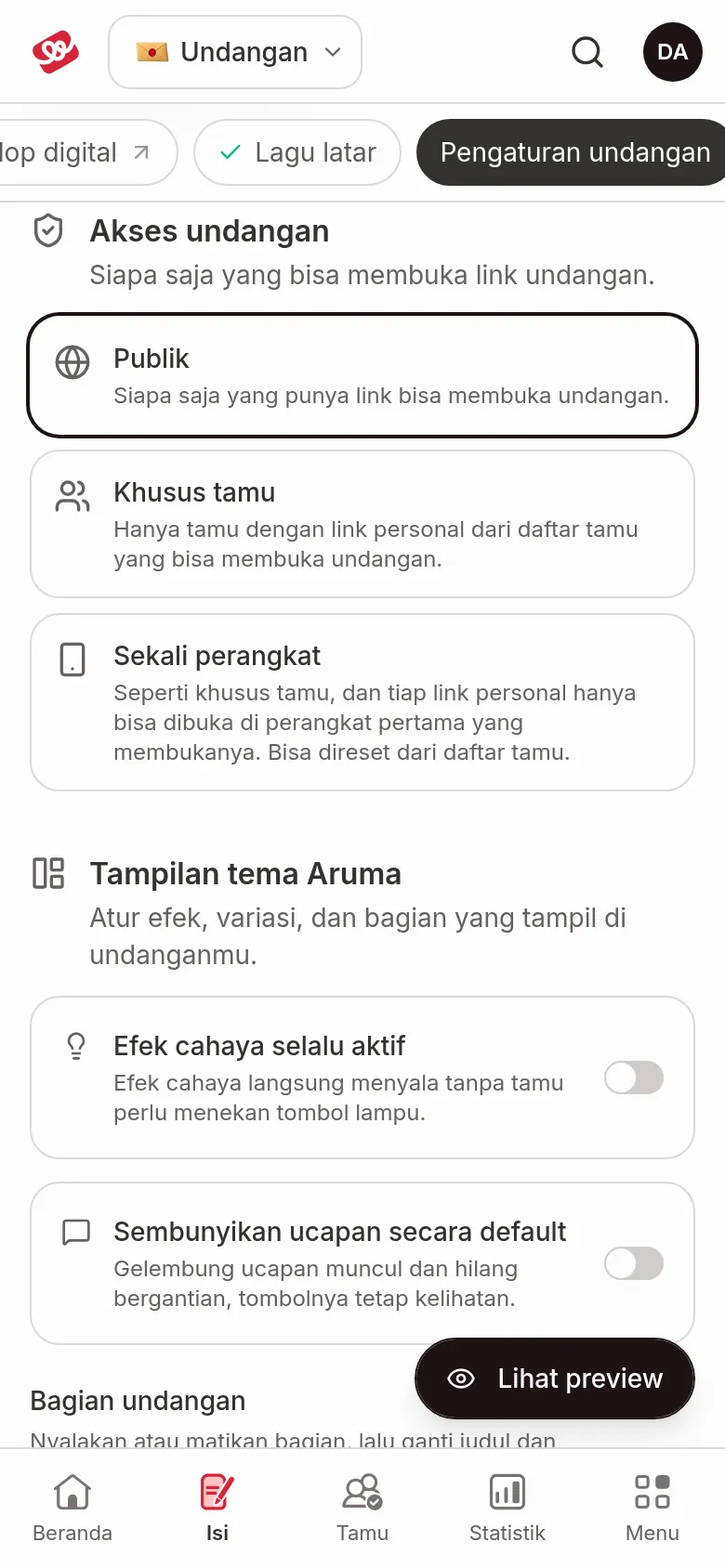
What you need and where to set it
| If you want… | Set it in | Guide |
|---|---|---|
| Only guests on your list can open the invitation | Invitation access › Guests only | Access Mode |
| The invitation can't be forwarded to another device | Invitation access › Single device | Access Mode |
| Only invited guests can fill in the RSVP | Limit RSVP to guests on the list | Restricted RSVP |
| RSVP closes automatically on a certain date | RSVP deadline | RSVP deadline |
| Ask about other things, such as food allergies | Extra questions (in the RSVP part) | Custom questions |
| Guest names appear in the WhatsApp message | WhatsApp message | Message template |
| Guests can send envelopes to your bank account | Envelopes & gifts › Envelope | Add a Manual Envelope account |
Guests only, Single device, the RSVP deadline, and custom questions are available from the Janjian plan up. See Kenalan, Janjian, and Full Custom plans.
Next steps
- Send invitations via WhatsApp — send a personal invitation to each guest.
- Send a WhatsApp Broadcast — send to lots of guests at once.
- What guests see on your invitation — see what guests experience when they open your invitation.
Was this page helpful?