Automatic digital envelope (QRIS)
With the Automatic digital envelope, guests pay by QRIS right from the invitation. Sender names and amounts are recorded for you, and you withdraw the money from Envelopes & gifts.
Use the automatic digital envelope
- Go to Envelopes & gifts, Envelopes tab.
- Under How guests send money gifts, pick Automatic digital envelope (the Use this button).
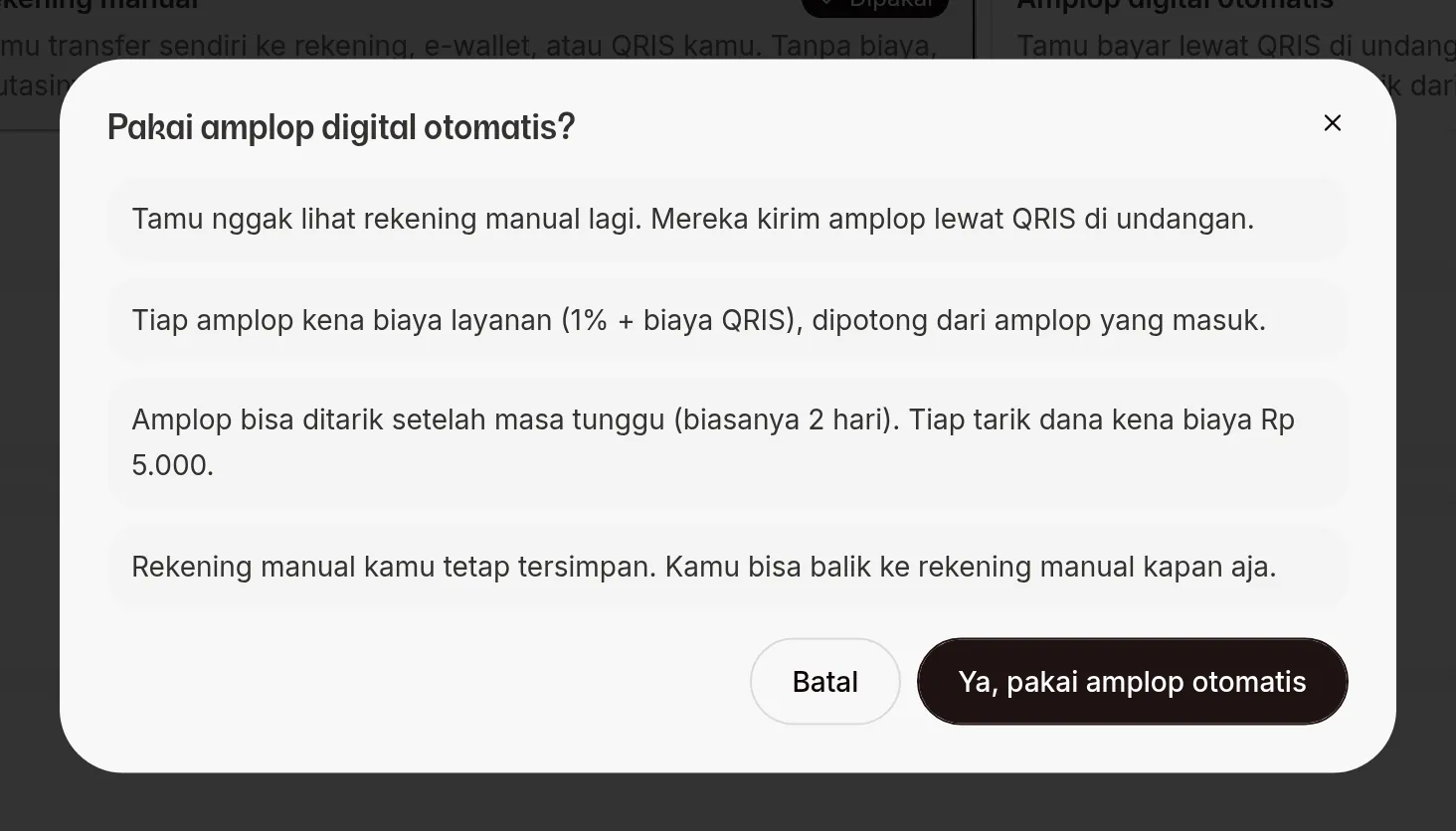
- Read the Use the automatic digital envelope? dialog all the way through. It says:
- guests no longer see your manual accounts, they send money gifts by QRIS on the invitation;
- each envelope has a service fee (1% + the QRIS fee), taken from the envelope as it comes in;
- envelopes can be withdrawn after a waiting period (usually 2 days), and each withdrawal costs Rp5.000;
- your manual accounts stay saved, so you can switch back any time.
- Click Yes, use the automatic envelope. Digital envelope balance and Envelope history appear below the option you just picked.
Switch back to manual accounts
Pick Manual accounts (Use this), then Yes, use manual accounts. The accounts you saved before show up again. Your digital envelope balance stays safe; to withdraw it, switch the automatic envelope back on.
What guests do
- The guest taps the send-envelope button on the invitation. The label varies by theme; some themes say "Kirim Kado Digital" (send Digital Gift), which here means the QRIS envelope, not the Digital Gift product.
- In the Kirim Hadiah (send a gift) dialog, guests who opened the invitation without a personal link enter their guest code or WhatsApp number, then tap Cari (search).
- If the guest data doesn't have an email yet, the guest can fill in Email (Opsional) (email, optional) to receive an invoice.
- The guest picks an amount under Pilih Nominal (choose amount), or fills in Atau masukkan nominal lain (or enter another amount).
- The guest taps Lanjutkan Pembayaran (continue payment) and is taken to the payment page.
The WhatsApp number they search for must already be in your guest data. If it isn't, the guest sees the message "Tamu tidak ditemukan" (guest not found).
Guest payment page
The Pembayaran E-Angpao (e-Angpao payment) page shows a QR code for that transaction only, with a Download QR button and a Bayar dalam … (pay within …) countdown. The guest scans it with their bank or e-wallet app.
- The page checks the payment status on its own at regular intervals.
- Once paid, Pembayaran Berhasil (payment successful) appears and the envelope is recorded in your Envelope history.
- If time runs out, Pembayaran kedaluwarsa (payment expired) appears. The guest has to start again from the envelope button on the invitation.
Next steps
- Envelope balance and history — see incoming envelopes and their status.
- Withdraw funds — move your balance to your account.
- Add guests and import from Excel — register your guests' WhatsApp numbers.