Door prizes & coupons
Door prizes & coupons helps you run a draw at your event: booth visitors get coupons from their shopping receipt, and those coupons are then drawn for door prizes on the big screen. The product has its own sidebar, separate from the Invitation product.
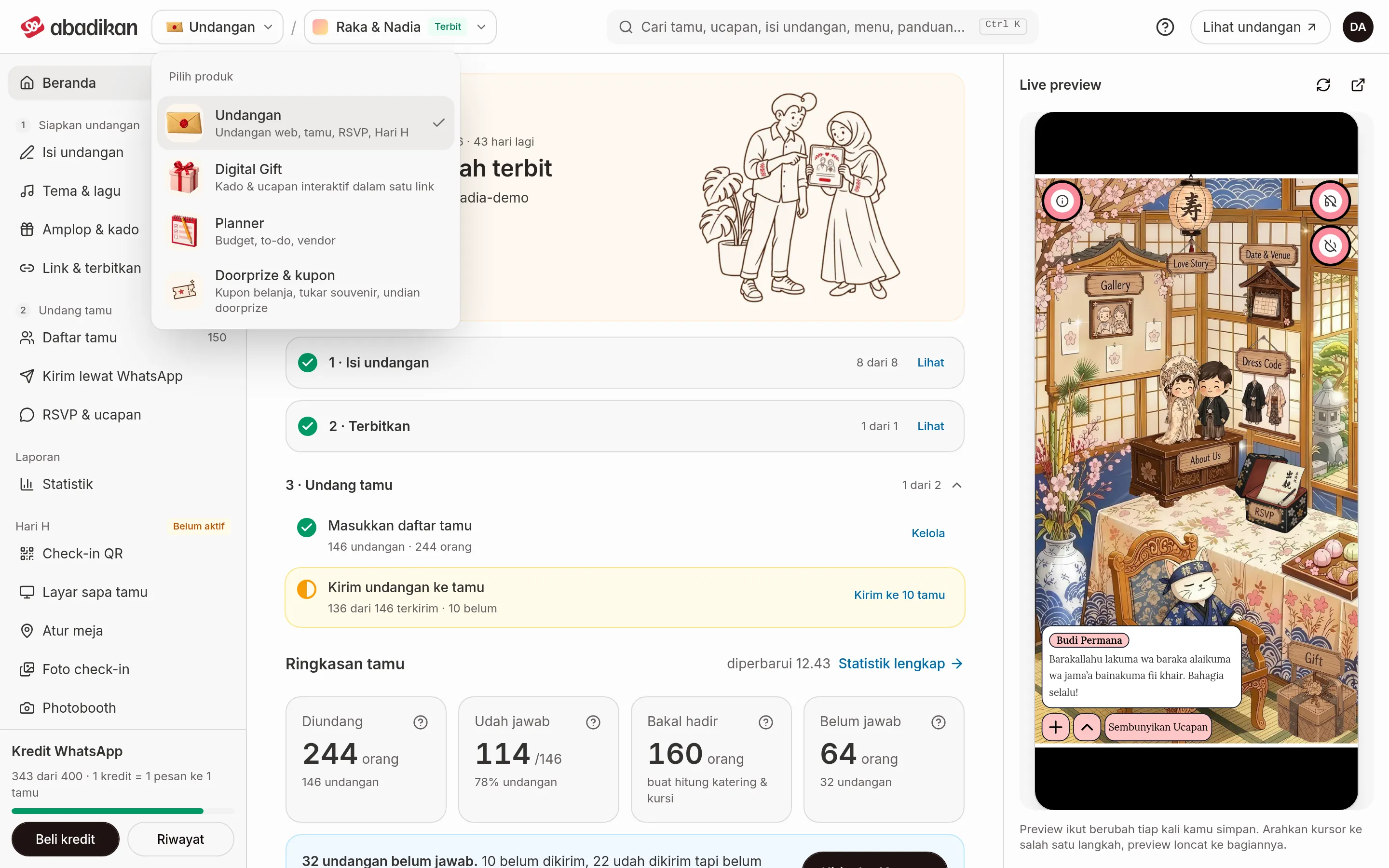
Open the Door prizes & coupons product
- In the dashboard, pick the invitation that will use coupons with Your invitations in the app bar. Every coupon page uses the invitation that is currently selected.
- Click the product switch on the left of the app bar, then choose Door prizes & coupons ("Shopping coupons, souvenir swaps, prize draws").
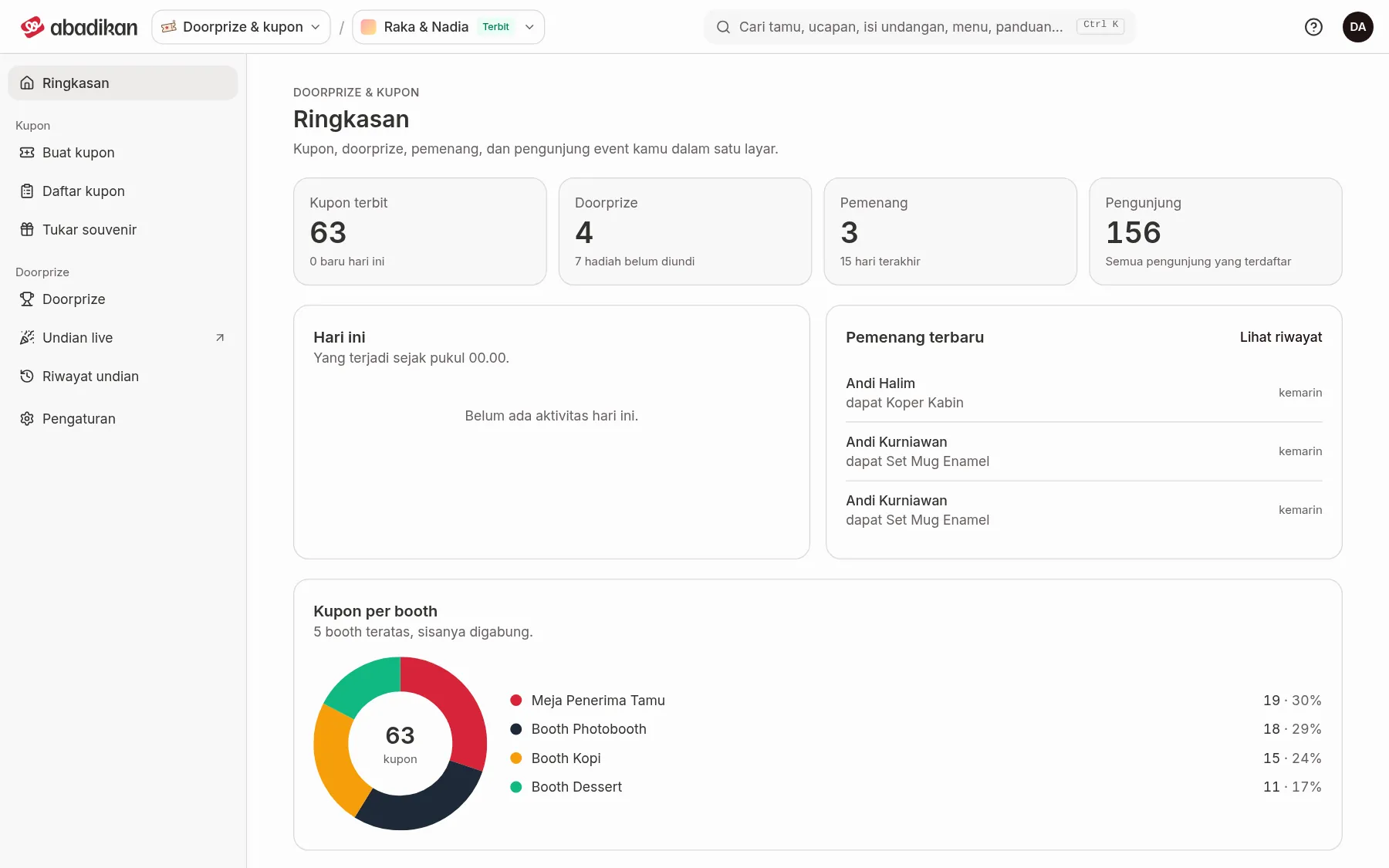
- The product opens on Overview. The
/couponaddress also leads straight here.
To go back to the invitation dashboard, open the product switch again and choose Invitation.
Menus in the sidebar
From top to bottom:
| Group | Menu | Page |
|---|---|---|
| (no heading) | Overview | Coupon overview |
| Coupons | Issue coupons | Issue coupons from a shopping receipt |
| Coupons | Coupon list | Coupon list |
| Coupons | Redeem souvenirs | Redeem coupons for souvenirs |
| Door prizes | Door prizes | Add door prizes |
| Door prizes | Live draw | Draw winners in the Live draw |
| Door prizes | Draw history | Draw history |
| (no heading) | Settings | Set up coupon Settings |
Live draw is a venue screen without the sidebar, so this menu opens in a new tab.
On a phone, the sidebar is replaced by a bottom tab bar: Overview, Souvenirs (Redeem souvenirs), Coupons (Coupon list), Prizes (Door prizes), and Menu. The Menu tab holds every menu above, including Issue coupons, Live draw, Draw history, and Settings.
From preparation to done
| Step | What you do | Menu | Page |
|---|---|---|---|
| 1 | Set coupons per purchase, the booth list, coupon proof, and the draw look | Settings | Set up coupon Settings |
| 2 | Enter the prizes and how many of each | Door prizes | Add door prizes |
| 3 | Issue coupons for each visitor's shopping receipt | Issue coupons | Issue coupons from a shopping receipt |
| 4 | Track coupons, view receipts, and download to Excel | Coupon list | Coupon list |
| 5 | Redeem visitors' coupons for souvenirs | Redeem souvenirs | Redeem coupons for souvenirs |
| 6 | Draw winners on the venue screen | Live draw | Draw winners in the Live draw |
| 7 | Check and correct the winner list | Draw history | Draw history |
| 8 | Follow the coupon, winner, and booth numbers | Overview | Coupon overview |
Next steps
- Set up coupon Settings — start with coupons per purchase and the booth list.
- Guestbook and coupon issues on the wedding day — fixes for problems that often come up at events.
Was this page helpful?