Coupon overview
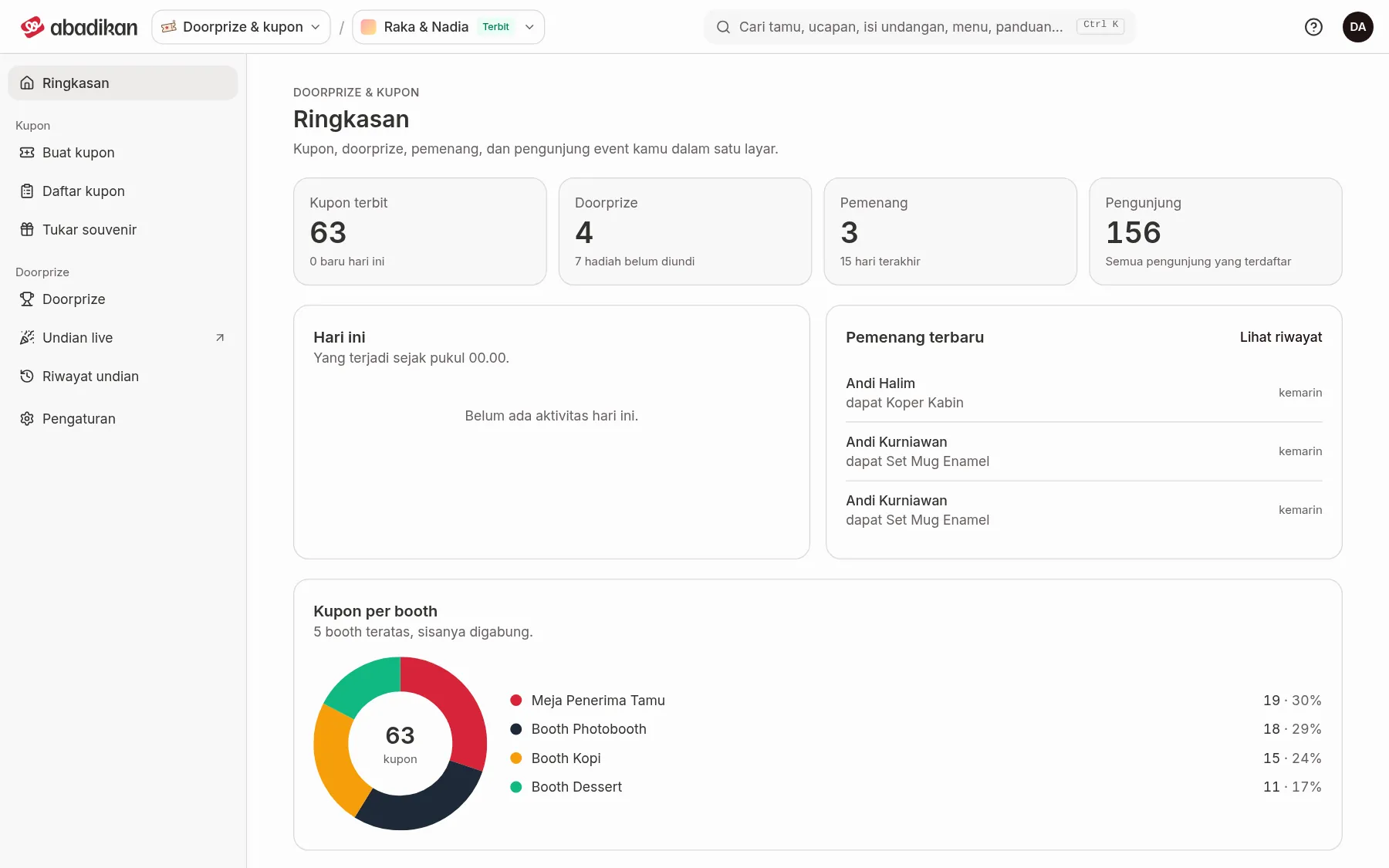
Overview is the first page when the Door prizes & coupons product opens. It shows "Your event's coupons, door prizes, winners and visitors on one screen" for the invitation that is currently selected.
Number cards
| Card | Meaning | Caption under the number |
|---|---|---|
| Coupons issued | How many coupons have been issued. Comes from Issue coupons. | "… new today" |
| Door prizes | How many door prizes are registered. Comes from Add door prizes. | "… prizes not drawn yet" |
| Winners | How many winners have been saved from the Live draw. | "Last 15 days" |
| Visitors | How many visitors are registered. | "All registered visitors" |
Every number is counted for the invitation that is currently selected. If you have more than one invitation and a number looks wrong, check Your invitations in the app bar. If the data can't be loaded, you see "The overview couldn't be loaded." with a Try again button.
Activity and charts
| Section | Contents | When empty |
|---|---|---|
| Today | What happened since midnight: Coupons issued, Souvenirs redeemed, New visitors, Coupons from manual receipts. | "No activity today yet." |
| Latest winners | The winner's name, their prize ("won …"), and when. Click See history to open Draw history. | "No winners yet. Live draw results show up here." |
| Coupons per booth | A chart of the top 5 booths, the rest combined as Others. Coupons without a booth go under No booth. | "No coupons from any booth yet." |
| Daily transactions | A bar chart of spend (Spend) and Down payment per booth per day, with Total spend and Total down payment. | "No transactions yet." |
Next steps
- Coupon list — see the details of every receipt and its coupons.
- Draw history — see who the winners are.
Was this page helpful?