Draw winners in the Live draw
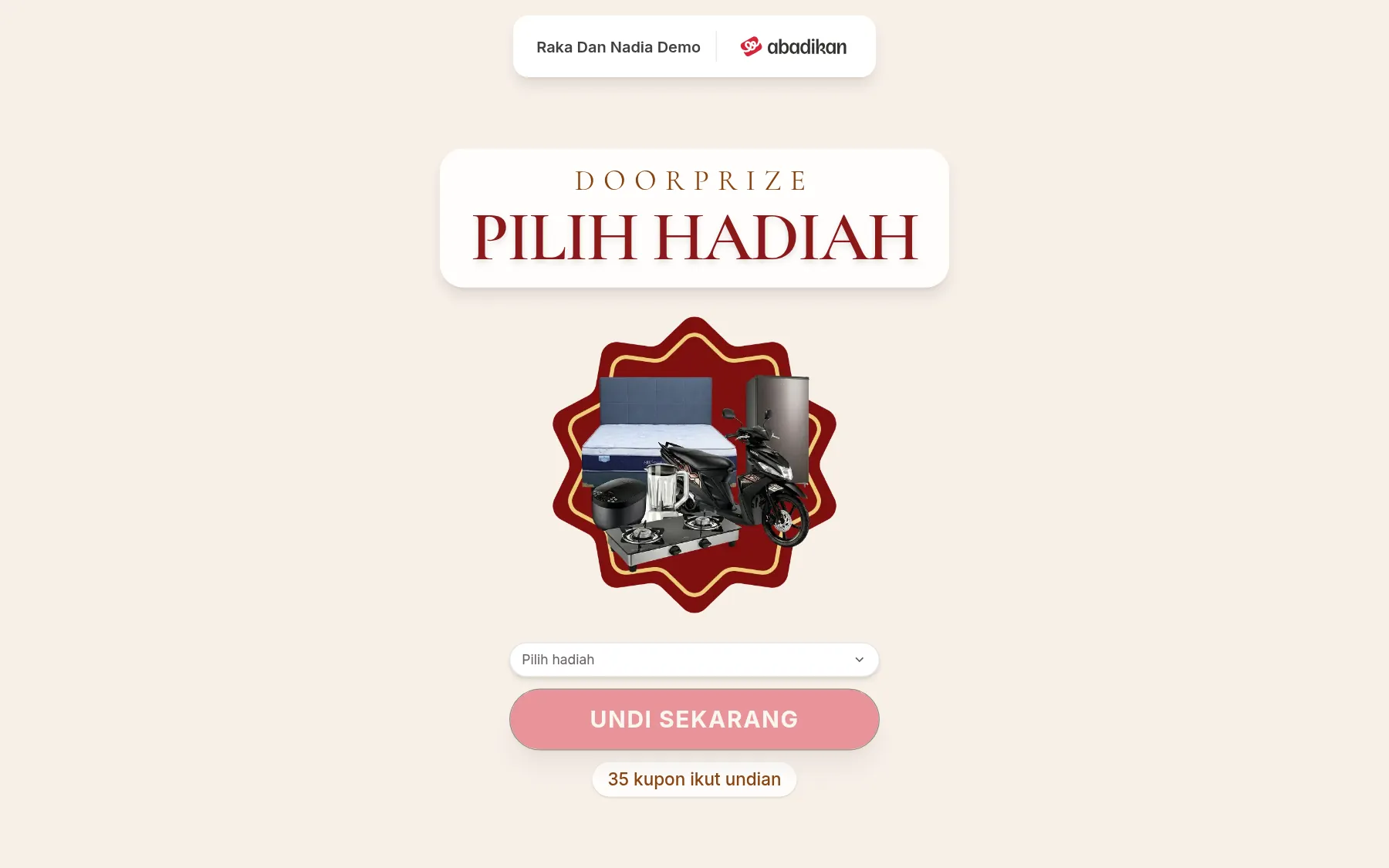
The Live draw opens a full draw screen without the sidebar, to show on a projector or LED screen. This menu opens in a new tab. Its logo, background image, opening prize image, and spin speed come from Settings.
Before you start
- The prizes are in Door prizes and the coupons have been issued.
- The laptop is connected to the projector or venue screen. Open the Live draw on that laptop.
Draw one prize
- Click Live draw in the sidebar, under the Door prizes group.
- Click the prize choice on the screen (labelled Choose a prize), then pick the prize. The number next to the prize name is the remaining stock, e.g. "Hotel voucher · 3 left". Prizes that are out of stock can't be picked. If there are no prizes yet, the screen says "No door prizes yet. Add them in Door prizes first."
- Check the number of participants under the button, e.g. "120 coupons in the draw". If no coupons can be drawn yet, "No coupons can be drawn yet." appears.
- Click Draw now. The coupon code spins and then stops on one random winner.
- The screen shows Congratulations, Winner of the prize, the winner's name, booth, Phone, and Coupon code.
The phone number is masked, only the last 4 digits show, so it's safe to show to guests.
In the corner of the screen there's a Back button and a full-screen button. The buttons hide on their own when the screen isn't touched for a few seconds, and the screen is kept awake.
Save or redo the draw
Under the result there's a note: "Not saved yet. Choose Save winner so it's recorded in the draw history."
- Click Save winner to record the result. The prize stock goes down, the winner goes into the Draw history, and the screen is ready for the next draw.
- Click Draw again if the result won't be used, e.g. the winner isn't present. The result is dropped without saving, and the prize and participant data are reloaded.
Next steps
- Draw history — check or correct the winner list.
- Set up coupon Settings — change the logo, background, or spin speed.
Was this page helpful?