Draw history
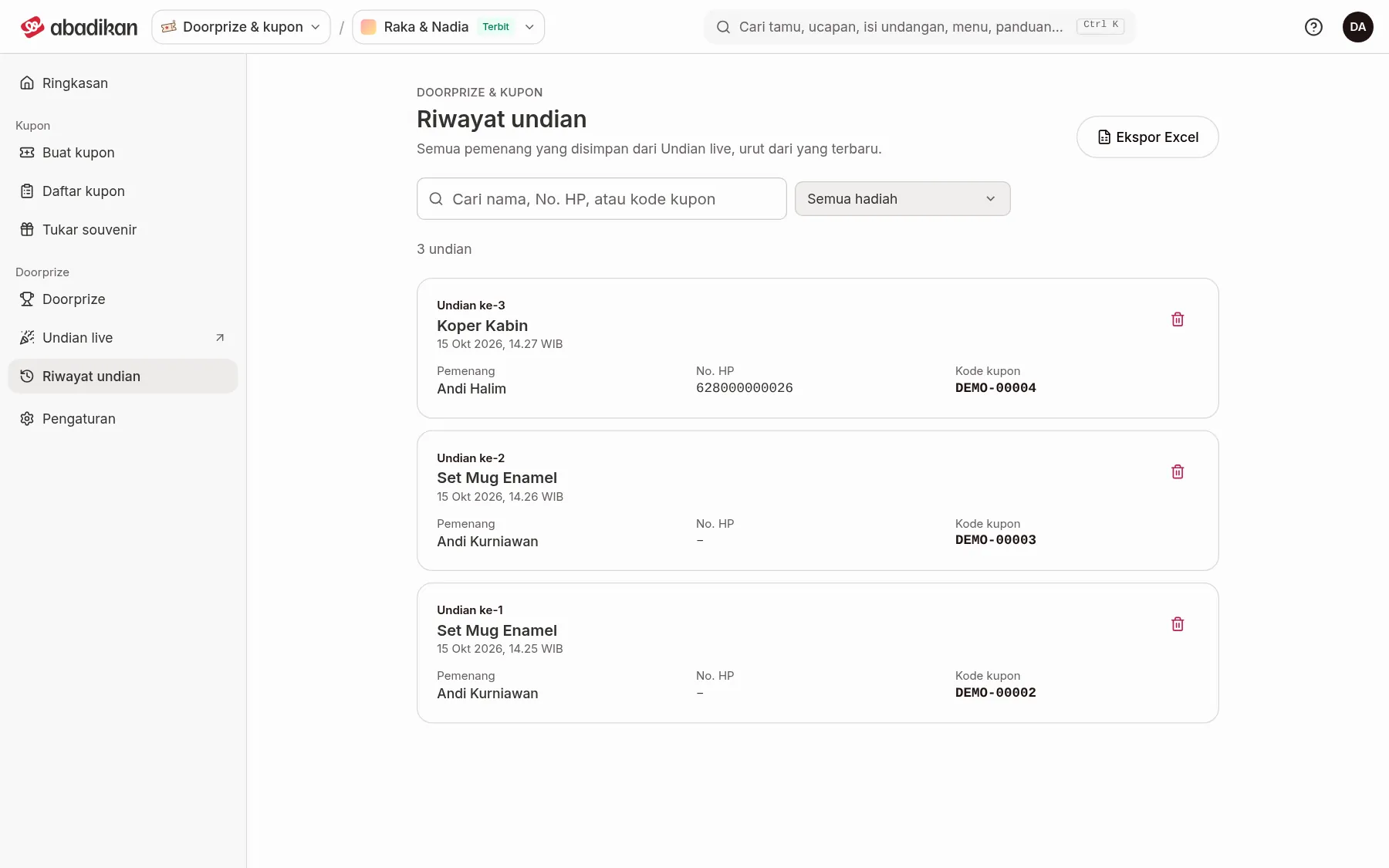
The Draw history menu holds every winner saved from the Live draw, newest first. Above the list is the number of draws, e.g. "12 draws".
What a card shows
| Term | Meaning | Notes |
|---|---|---|
| Draw #n | The draw's sequence number. | The number stays the same when you search or filter. |
| Prize name and time | The prize that was drawn and when the winner was saved. | — |
| Winner | The winner's name. | — |
| Phone | The winner's phone number. | — |
| Coupon code | The winning coupon code. | Match it with the receipt when the prize is collected. |
If the list is long, click Show more at the bottom. If there are no winners yet, the page shows No winners yet with an Open the live draw button.
Search and filter
- Type in Search name, phone or coupon code.
- Choose a prize in Prize, or All prizes.
- Click Clear filters to return to the whole history.
Download to Excel
Click Export to Excel to download what's currently shown, following your search and filters. The columns are Draw no., Time (WIB), Prize, Winner, Phone, and Coupon code. When it's done, "Draw history downloaded." appears.
Delete a wrong result
- Click the delete icon on that draw's card.
- Read the Delete draw #n? dialog, then click Delete draw.
Next steps
- Draw winners in the Live draw — redraw the prize you corrected.
- Coupon overview — see the winner and coupon summary.
Was this page helpful?