Background song
In the Background song section of Invitation content you choose one background song for your invitation, either from the Abadikan song collection or from a YouTube video. The song plays when guests open the invitation. The song is optional: an invitation can go without one.
What you can do
| Task | Page |
|---|---|
| Pick a song from the collection and set it on the invitation | Use a song from the collection |
| Add your own song from YouTube | Add a song from YouTube |
| Skip an intro or set which part of the song plays | Set the play window |
| Fix music that doesn't play on the invitation | Problems with music, photos, or videos |
What's in the Background song section
From top to bottom, the Background song section holds:
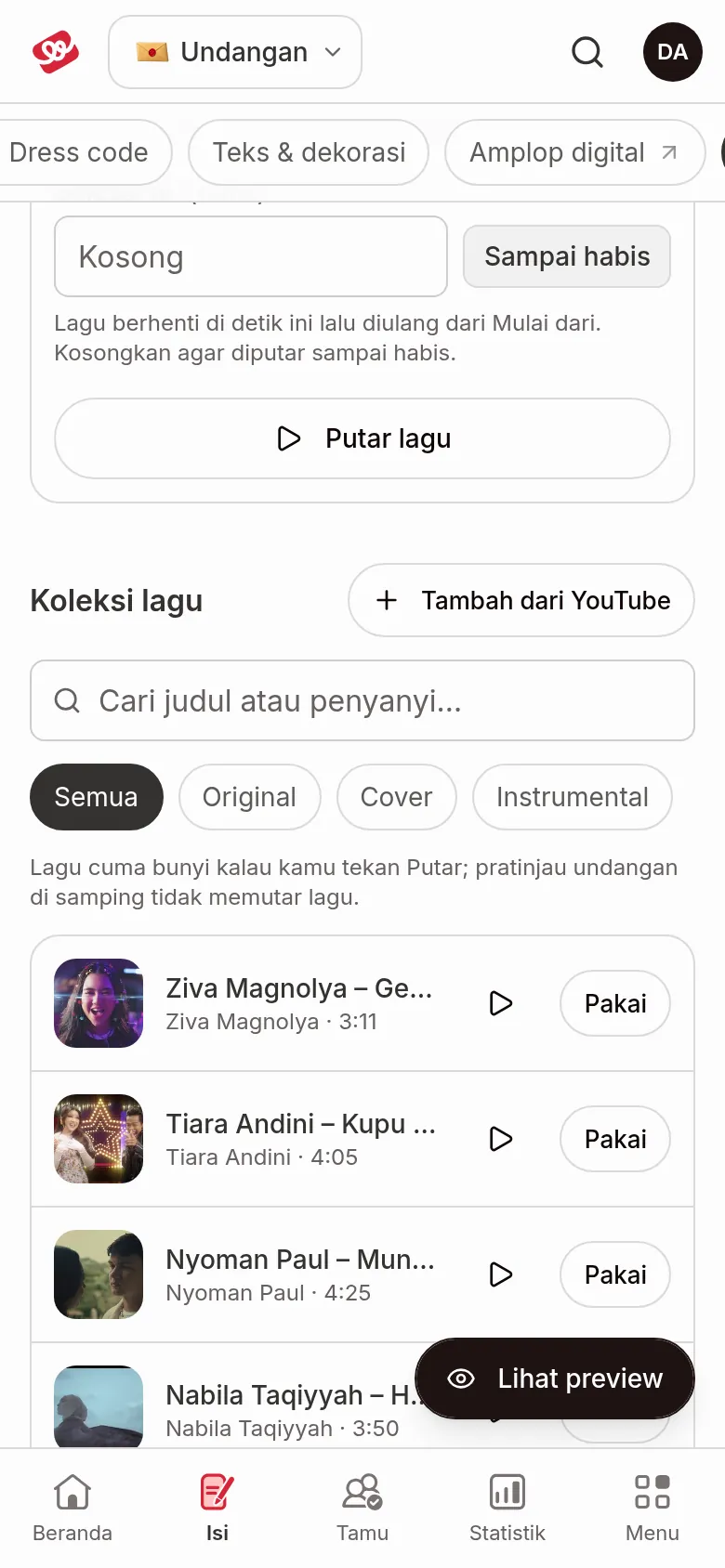
- Song in use: the song currently set, with the Play window card (Start at and End at). With no song yet, it says "No song yet".
- Song collection: the Add from YouTube button, the Search songs field ("Search by title or artist…"), and the filters All, Original, Cover, Instrumental.
- The song list. Each song has a play button to listen and a Use button. More songs load as you scroll, or click Load more songs.
If your search finds nothing, No songs found appears with the Add from YouTube button.
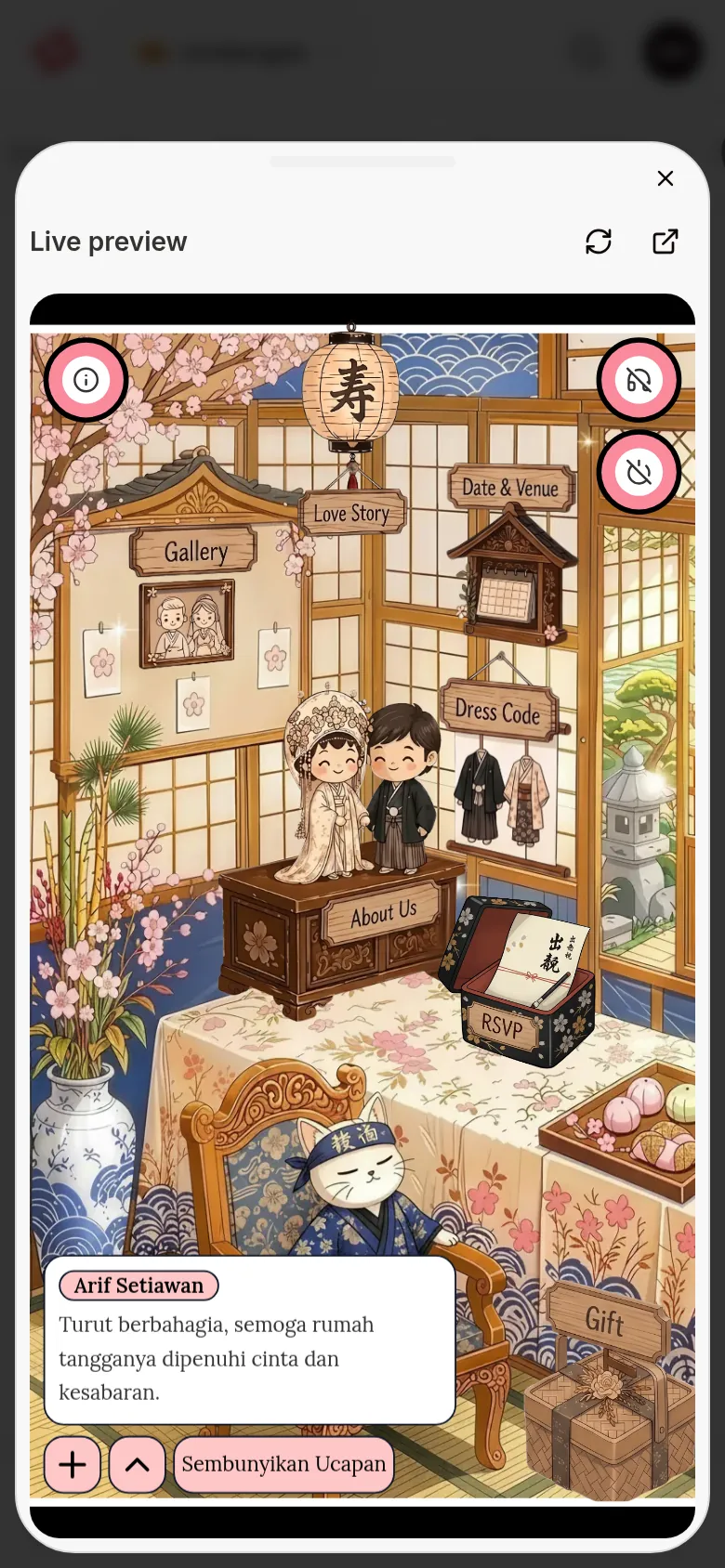
The live preview doesn't play the song. On a wide screen the preview sits next to the form. On a phone, tap the Show preview button at the bottom right: the preview slides up from the bottom of the screen as a sheet, and you close it with Close preview. The preview always shows the invitation in a phone frame. A song only plays when you press a play button in the list, or Listen to this part / Play the song.
Music on your guests' invitation
- The song starts after the guest opens the invitation by tapping the opening button on the cover. Until that button is tapped, no music plays.
- If End at is filled in, the song loops back to Start at. Without it, how the song repeats may differ by theme.
- Guests can stop and restart the music with the music button on the invitation. Its shape and position differ in every theme.
There's no setting to switch the music off temporarily. If your invitation doesn't need music, click Remove song under Song in use.
Next steps
- Set up and control your invitation song — Pick a song, set the play window, or remove the song.
- Add a song from YouTube — Use a song that isn't in the collection yet.
- Problems with music, photos, or videos — Solutions when the music doesn't play.