Kenalan, Janjian, and Full Custom plans
Abadikan invitations come in three plans: Kenalan, Janjian, and Full Custom. The table below shows the features and active period of each plan. Current prices are on the pricing page.
Feature comparison
| Feature | Kenalan | Janjian | Full Custom |
|---|---|---|---|
| All themes, custom invitation link, unlimited guests | Yes | Yes | Yes |
| RSVP, wishes, and guest list import from Excel | Yes | Yes | Yes |
| Countdown, map navigation, YouTube background music | Yes | Yes | Yes |
| Love story (text) | Yes | Yes | Yes |
| Manual Envelope (your own bank account) | Yes | Yes | Yes |
| Basic guest analytics | Yes | Yes | Yes |
| Gallery photos | Max 10 photos | Unlimited | Unlimited |
| YouTube videos in the gallery | No | Yes | Yes |
| Love story with photos | No | Yes | Yes |
| Per-invitation guest quota | No | Yes | Yes |
| Font picker | No | Yes | Yes |
| Automatic Envelope (QRIS) | No | Yes | Yes |
| Gift Registry | No | Yes | Yes |
| Custom RSVP questions | No | Yes | Yes |
| Language package and custom invitation text | No | Yes | Yes |
| Theme variations | No | Yes | Yes |
| Full visit analytics | No | Yes | Yes |
| Link preview on social media (SEO) | No | Yes | Yes |
| Free WhatsApp credits (details) | 0 | 20 | 100 |
| Custom-designed home page and cover | No | No | Yes |
| Active period | Wedding day + 3 months | Wedding day + 1 year | Forever |
The active period counts from the wedding day. Kenalan and Janjian can be made active forever with the Lifetime add-on.
Locked features in the dashboard
Features that aren't included in your plan still show up in Invitation content, but they're replaced by a lock card titled "… is available on Janjian and above". This card appears in:
| Menu | Features locked on Kenalan |
|---|---|
| Invitation content › Photo gallery | YouTube Video, Additional gallery photos |
| Invitation content › Love Story | Love story with photos |
| Invitation settings | Link preview, RSVP deadline, Extra RSVP questions, Guests-only & single-device modes, Display variants |
| Envelopes & gifts | Automatic digital envelope (QRIS), Gift list |
Full visit analytics are also only for the Janjian and Full Custom plans.
Once the invitation is paid, the button on a lock card, for example Upgrade to Janjian, opens the same upgrade dialog as the steps below. Before payment, a lock card only links to the pricing page; the upgrade dialog isn't available yet. Choose the plan you want in the Choose a package & pay step instead, see Edit your invitation before paying.
Upgrade from Home
- Open Home.
- Click the Upgrade to Janjian row, or Upgrade to Full Custom, below the greeting card. On a wide screen the row has a See upgrade button; on a phone you can tap the whole row.
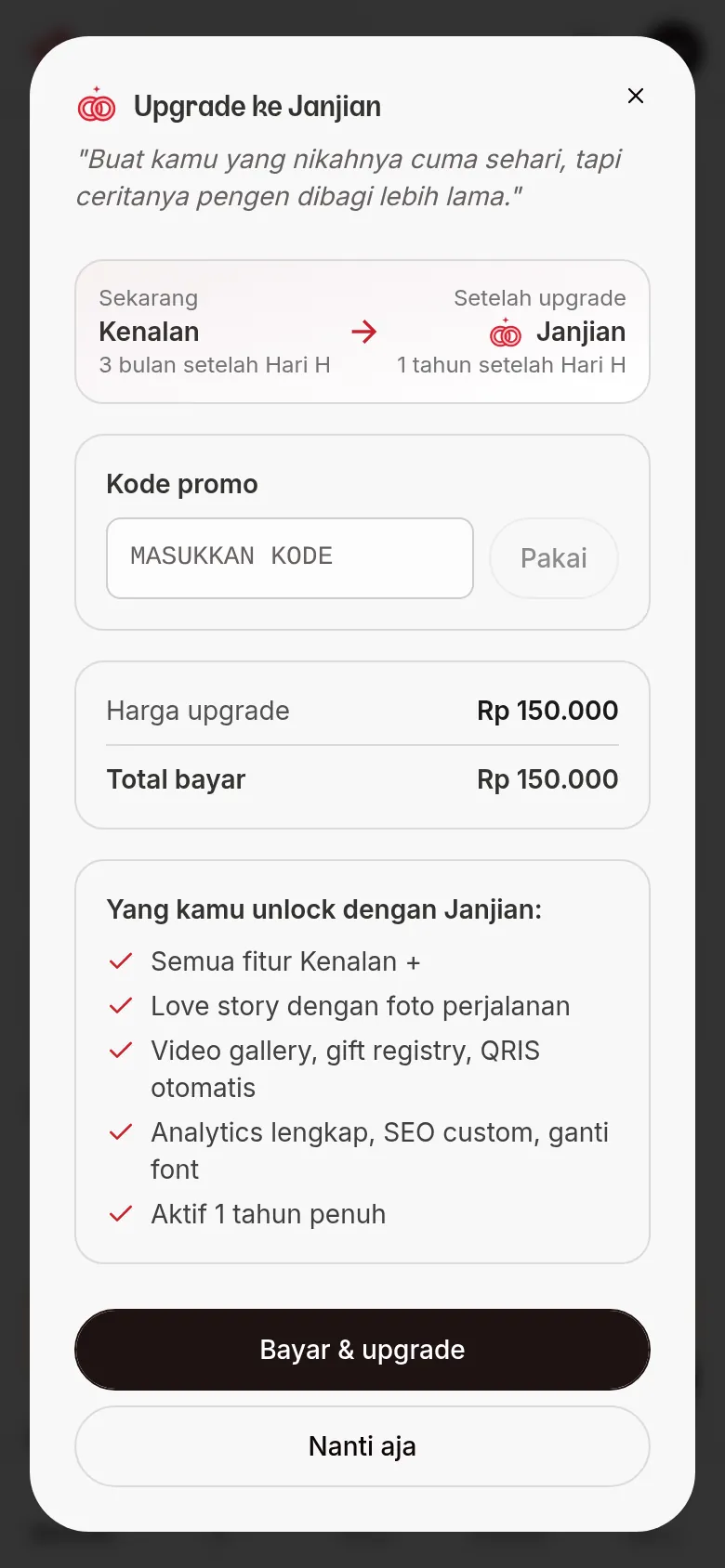
- In the dialog, check the Current and After upgrade plans, the Upgrade price, and the Total.
- If you have a promo code, enter it in Promo code, then click Apply.
- Click Pay & upgrade, then pay with QRIS on the payment page.
The row always offers the plan one step above your current one. Inside the row you'll see your plan and its active period, for example "Kenalan plan · Active until 12 Dec 2027". An invitation whose active period has passed shows "Ended ...", and legacy lifetime accounts show "Active forever".
Next steps
- Complete your invitation payment — pay the QRIS bill so your invitation goes live.
- Get your invitation ready to send — the full sequence from theme to sending.
- Home — see your invitation's plan and active period.